
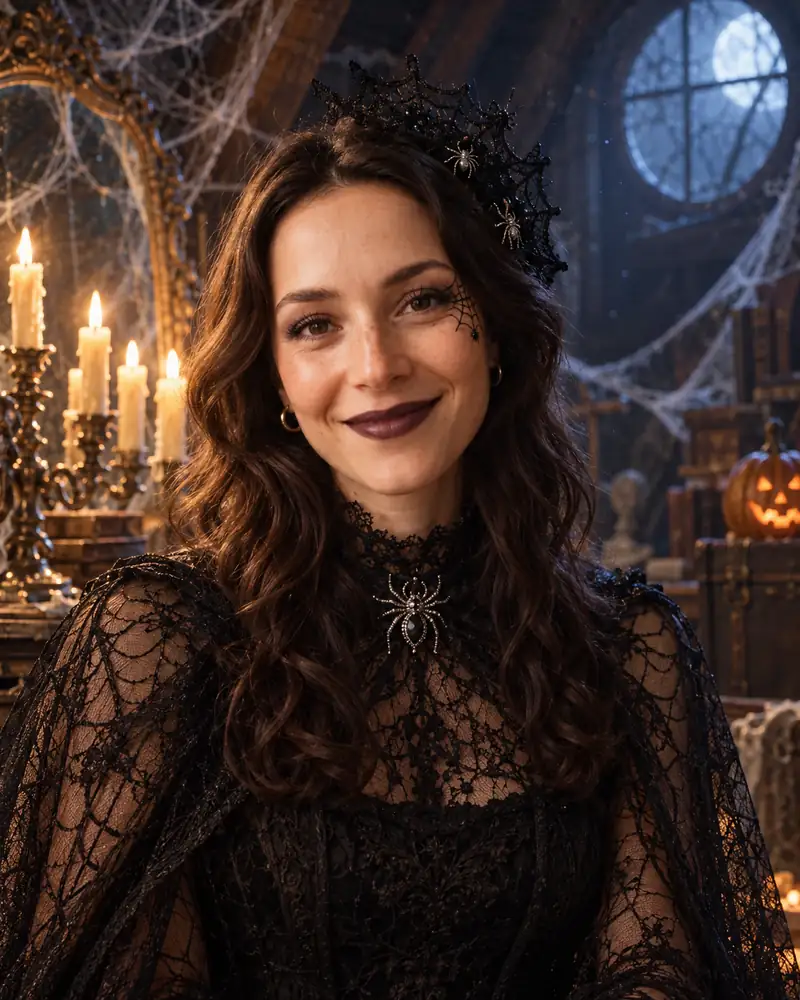
New this year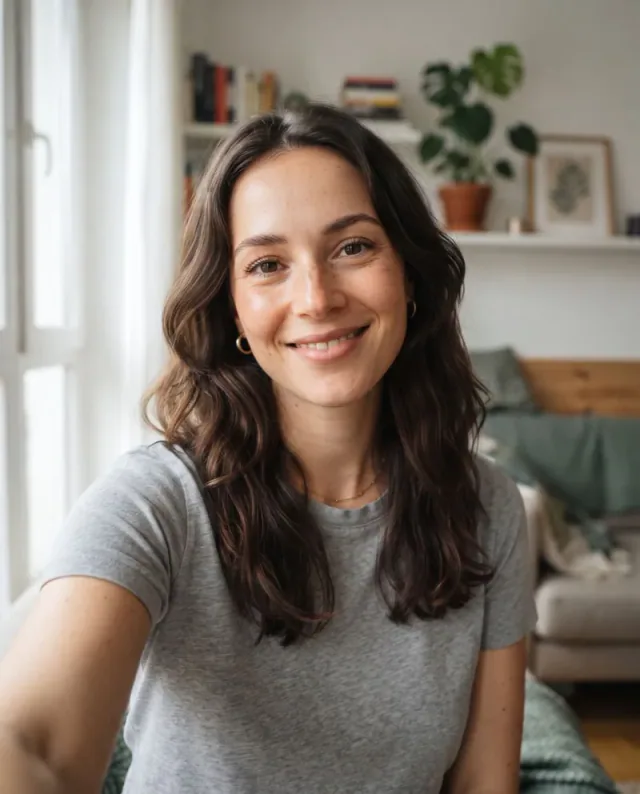 Made from this selfieOne phone photo turned into a spider witch. No costume, no makeup.
Spider Witch
Real-life version: a black lace dress or shirt, a spiderweb shawl and eyeliner webs on one temple.
Upload a selfie, pick one of 18 costume looks and see yourself in it, with the makeup and a Halloween scene, in a minute or two. Your first portrait is free.
1 credit per image. Your first image is free. Failed generations are refunded.
Every portrait below started from the same plain selfie in its corner. Pick a group by mood: classic movie monsters, ghosts, witches and glam, or looks that are mostly face paint. Under each one is what the look takes in real life, so any of them can become an easy DIY Halloween costume once you have picked.
Real-life version: a black lace dress or shirt, a spiderweb shawl and eyeliner webs on one temple.
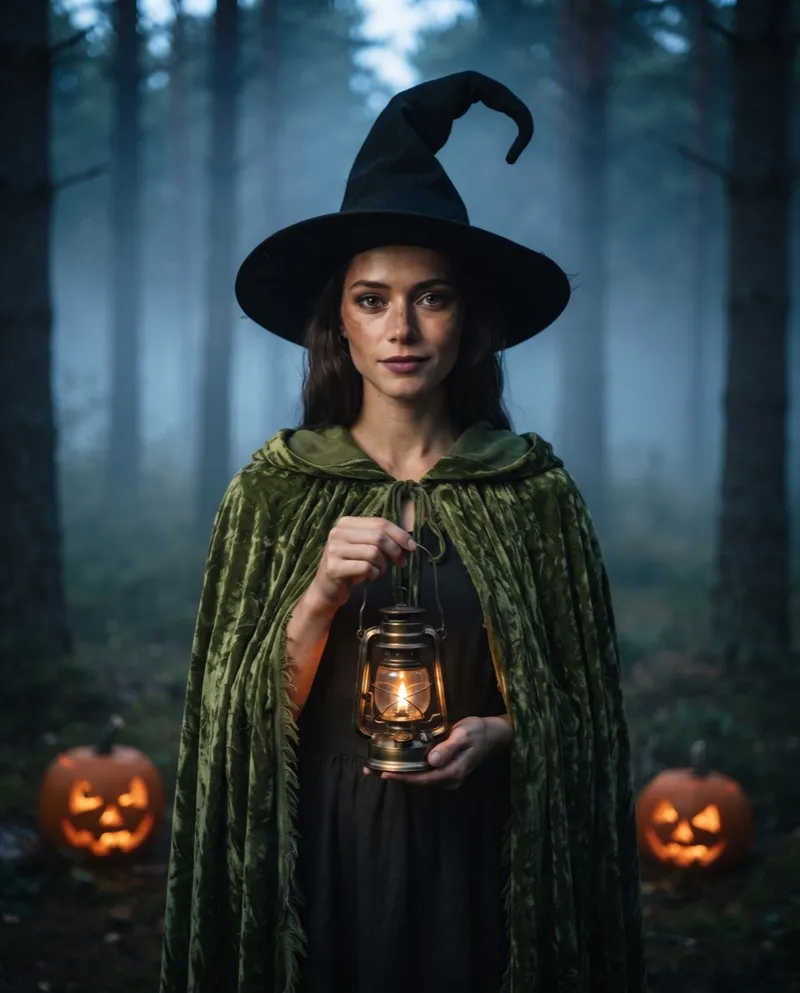
Real-life version: a green velvet hooded cloak, a crooked black hat and a battery lantern.
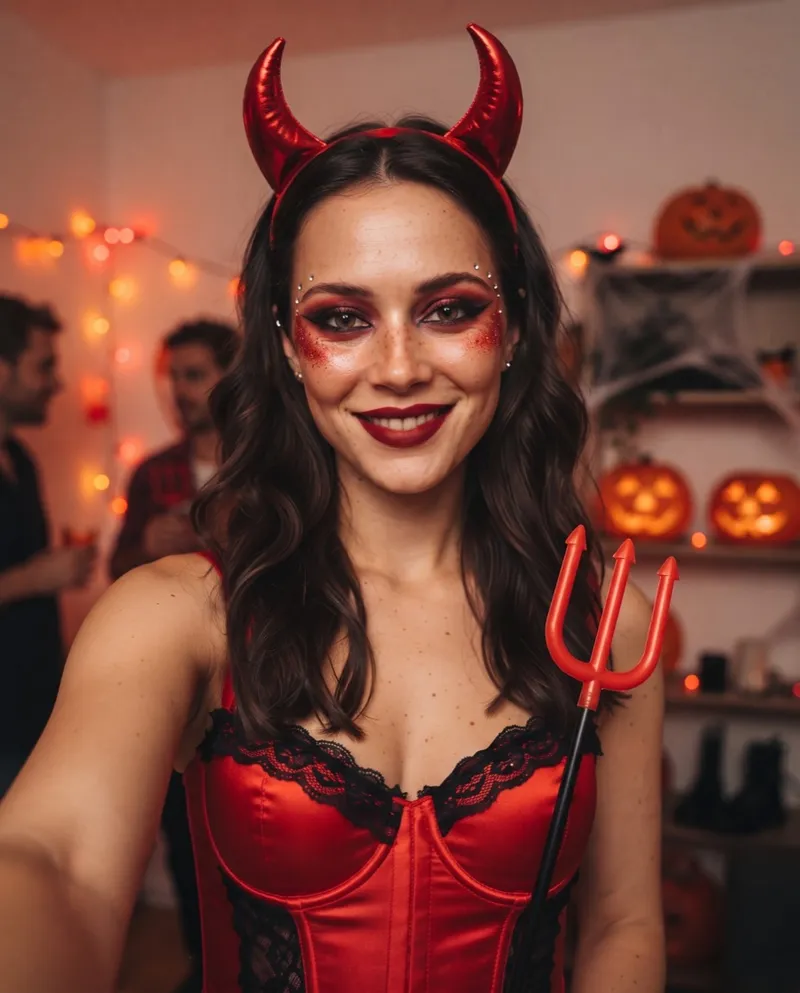
Real-life version: red horns on a headband, a red satin top, a toy pitchfork and red glitter.
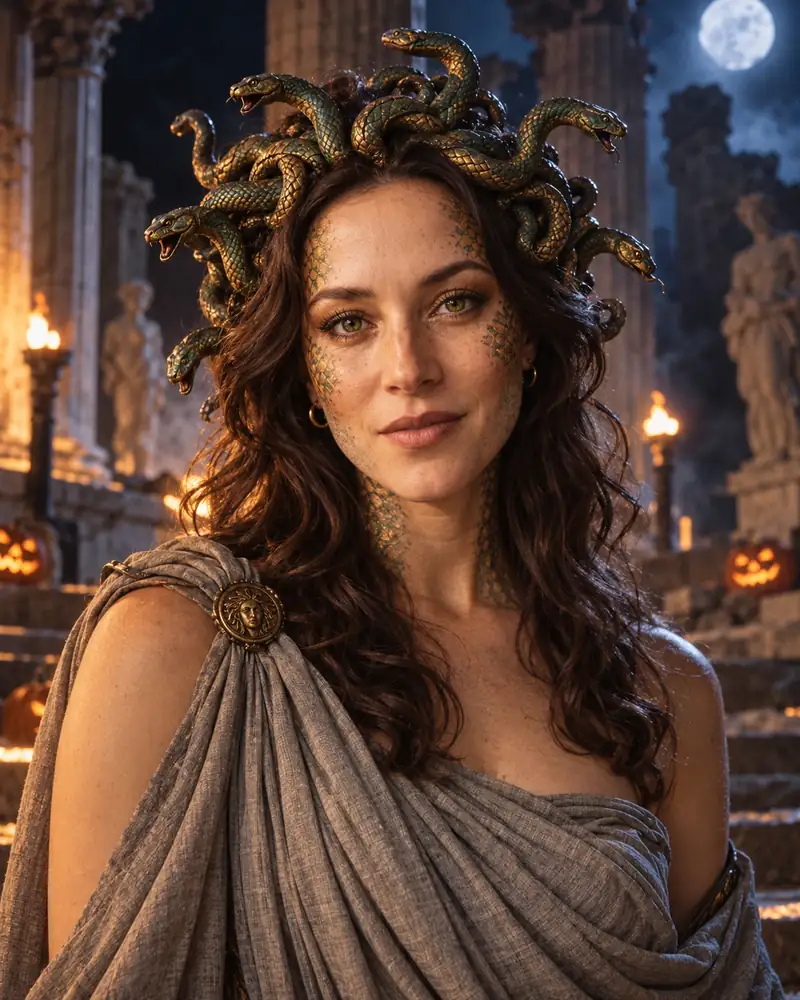
Real-life version: a snake headband, a grey sheet worn as a toga and gold-green face glitter.
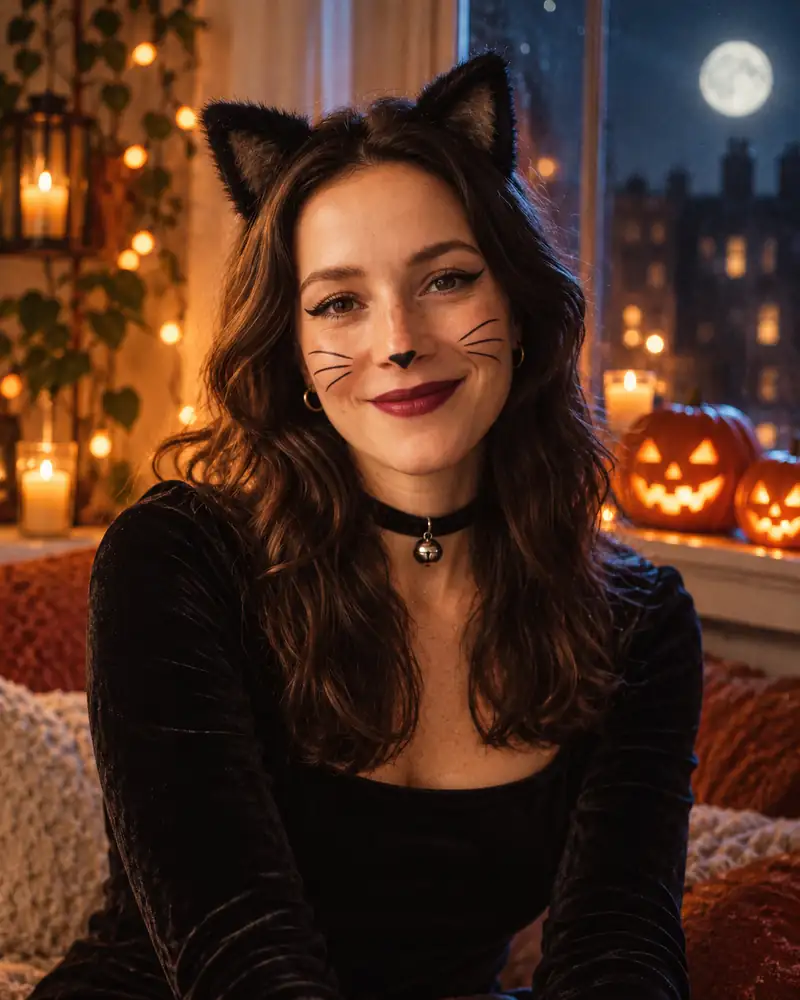
Real-life version: cat ears, a black top, winged liner and whiskers drawn with an eye pencil.
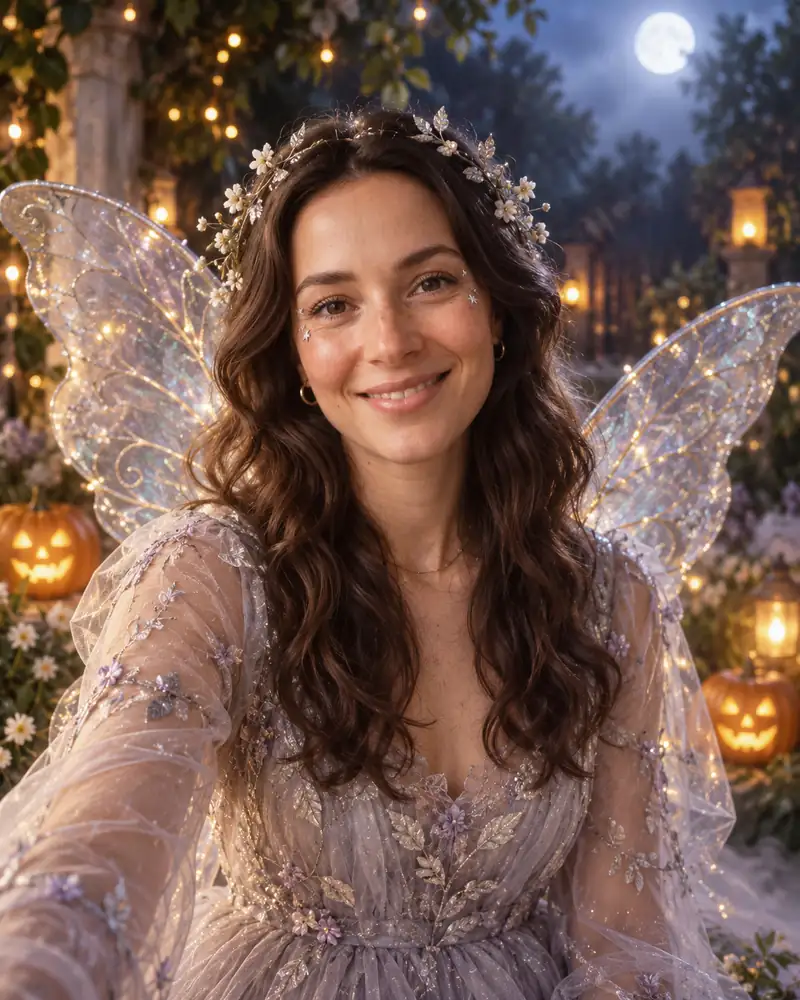
Real-life version: clip-on fairy wings, a flower crown, a pale tulle layer and silver shimmer.
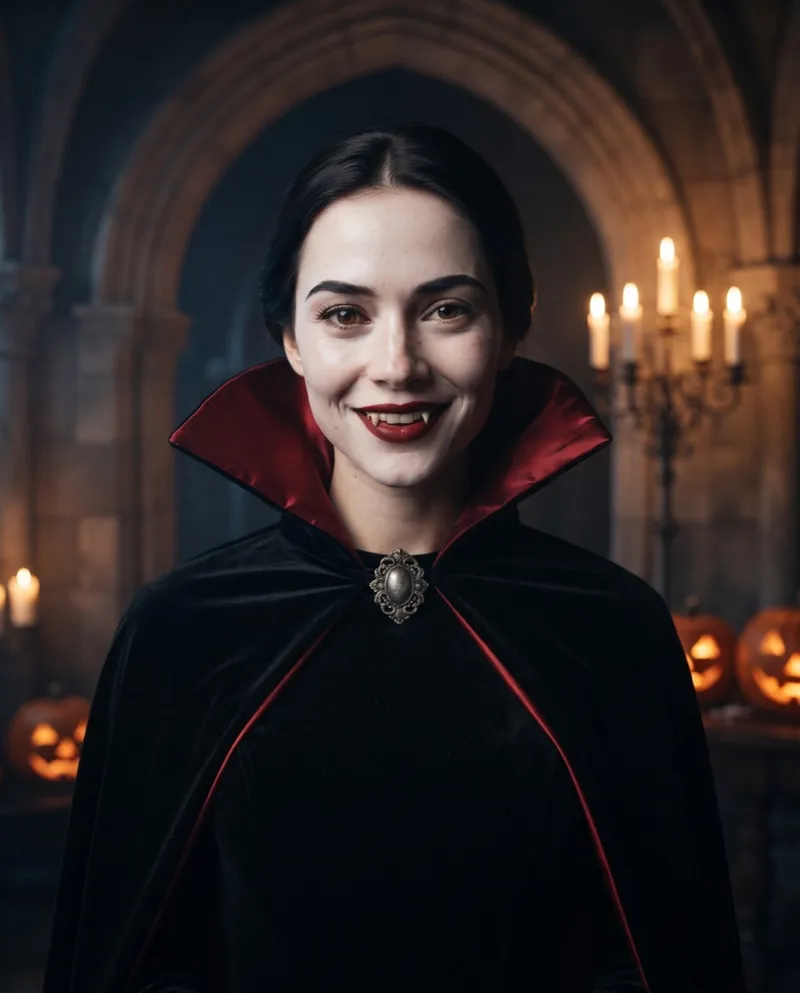
Real-life version: a red-lined cape, pale foundation, red lipstick and fang caps.
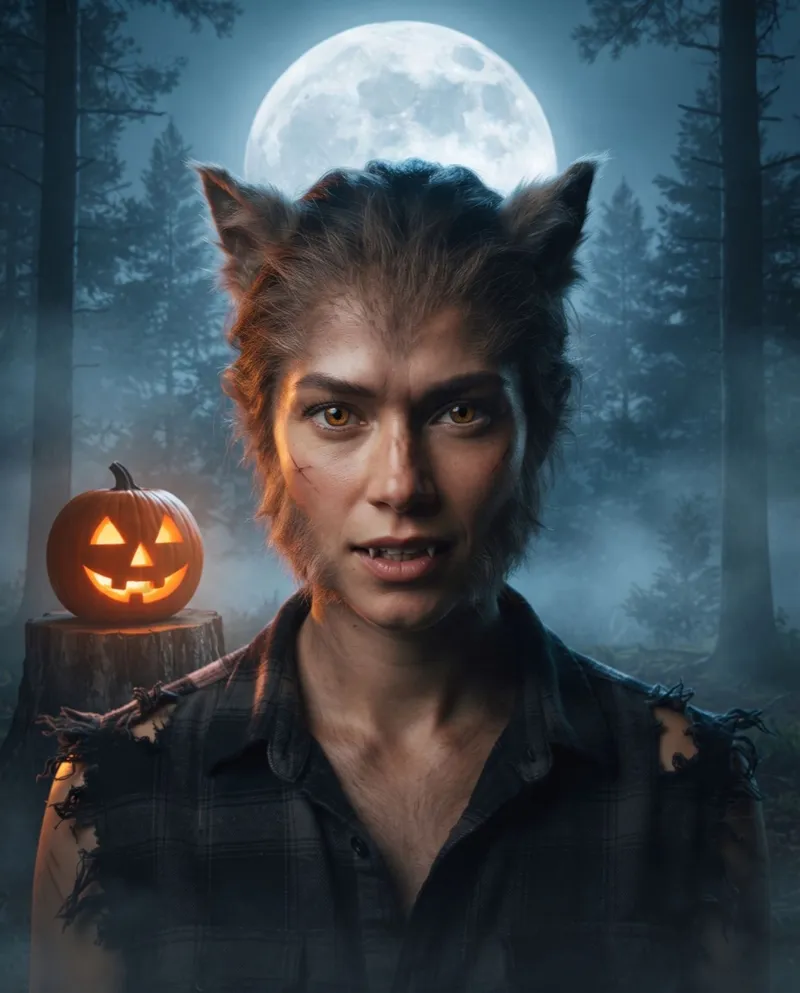
Real-life version: furry ears, crepe hair on the jaw, amber contacts and a torn flannel shirt.
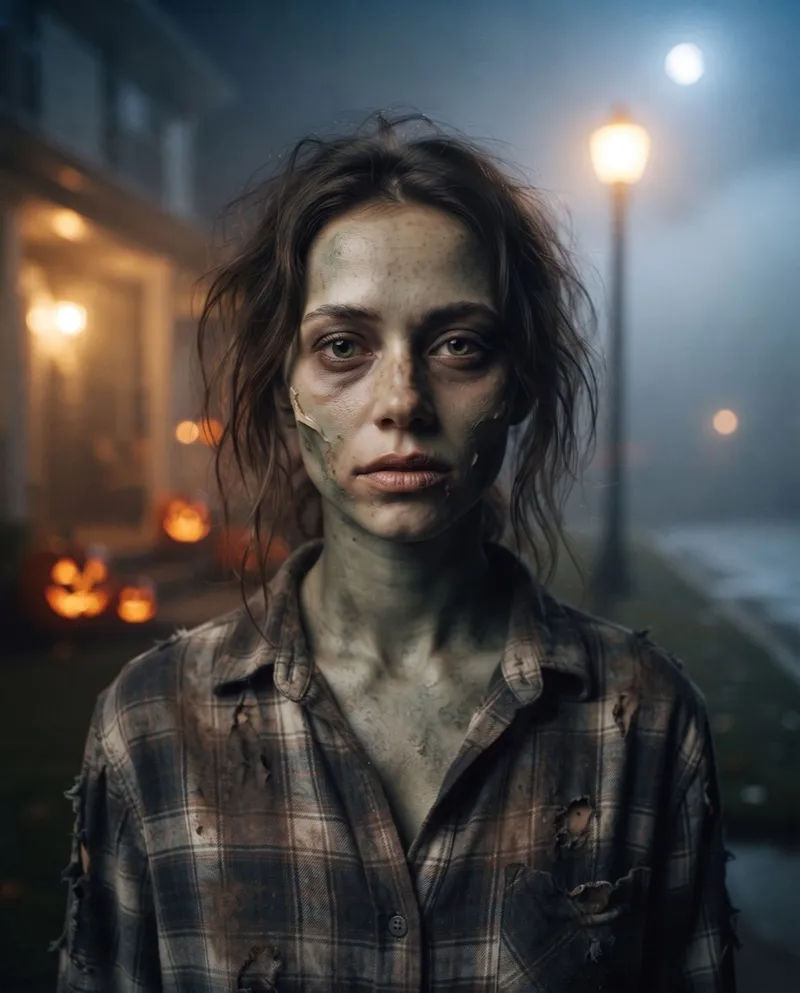
Real-life version: grey-green face paint, liquid latex on one cheek and a dirty plaid shirt.
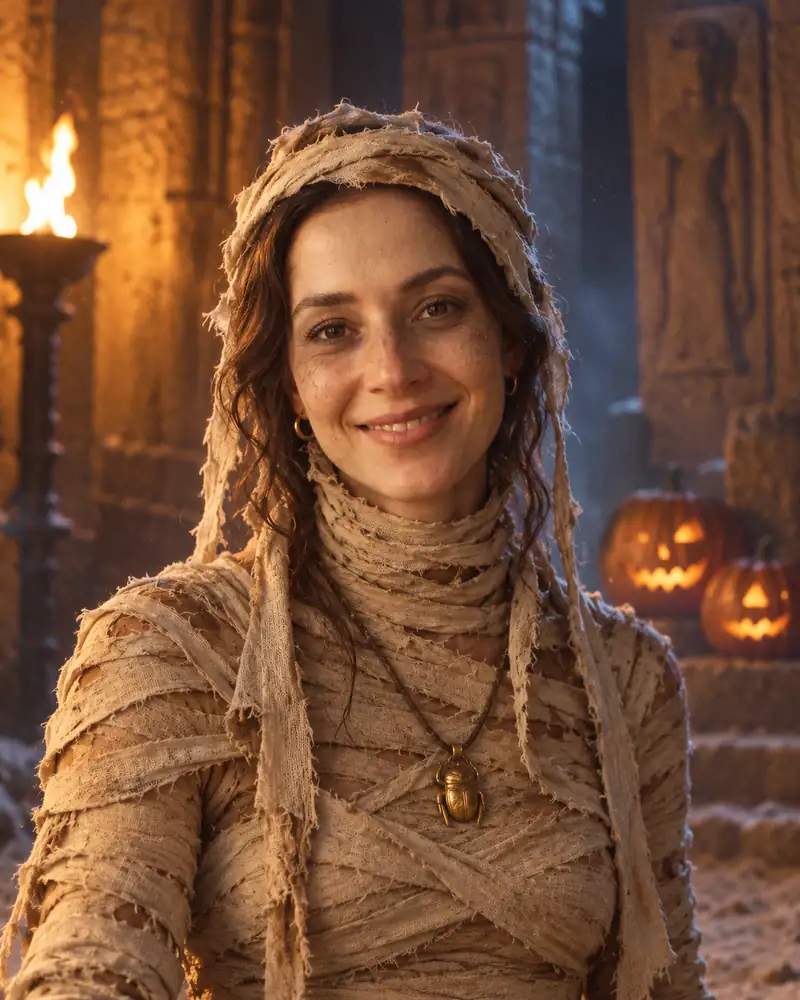
Real-life version: an old sheet torn into strips and dipped in tea, wrapped loose, face left clear.
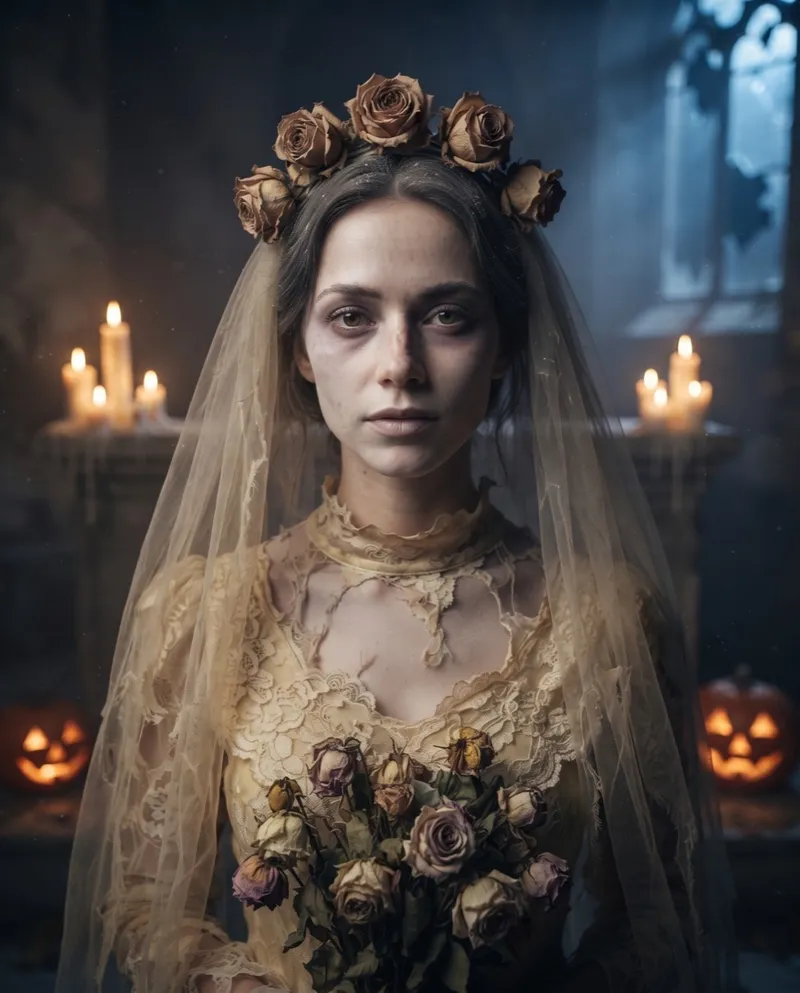
Real-life version: a thrifted lace dress or old suit, a torn veil, dried roses and grey makeup.
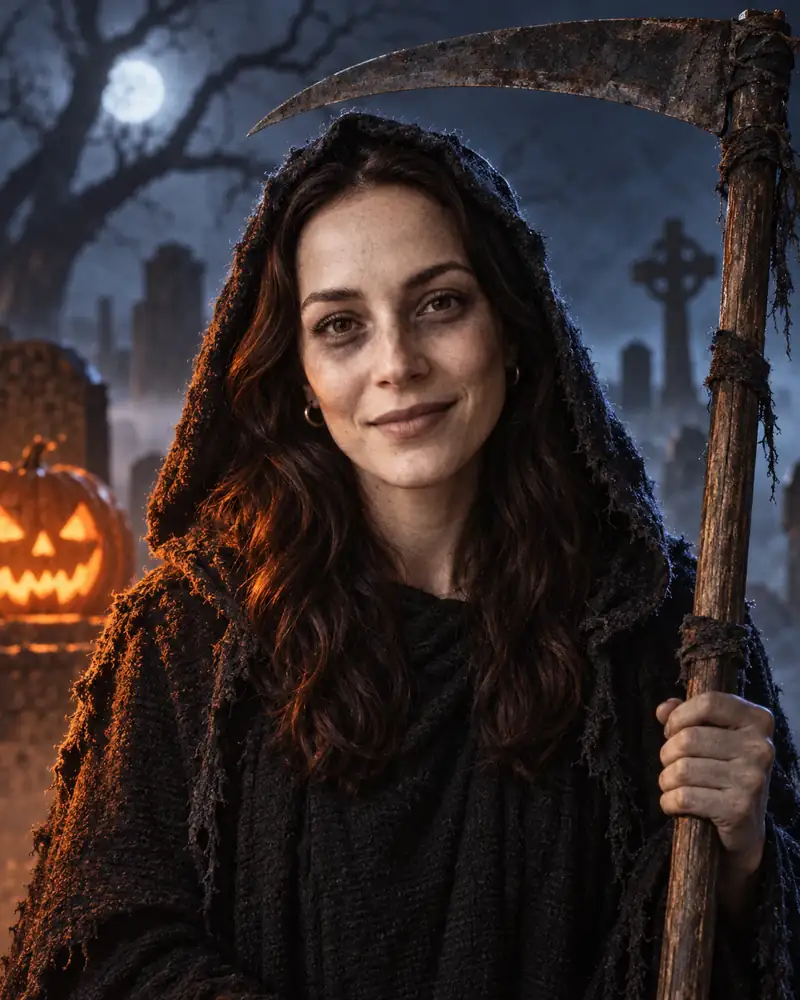
Real-life version: a black hooded robe, a toy scythe and grey contour around the eyes.
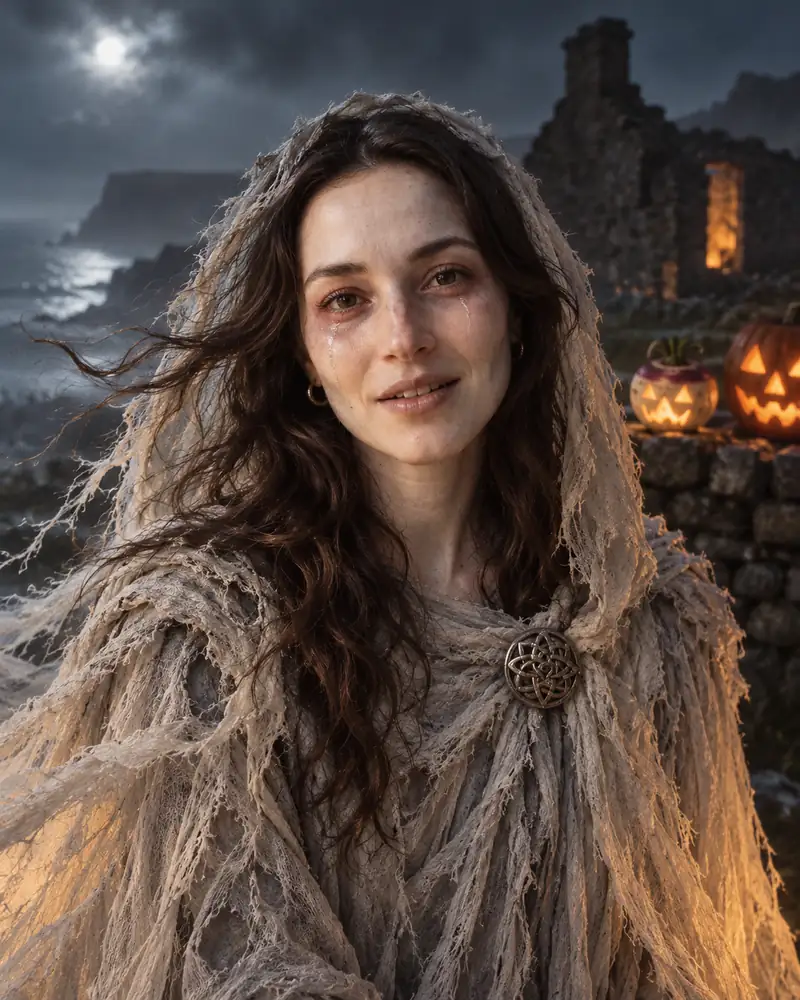
Real-life version: layers of grey cheesecloth, messy hair, pale foundation and red eyeliner.

Real-life version: a tricorn hat, an old navy coat, a few strands of fake seaweed and pale green makeup.
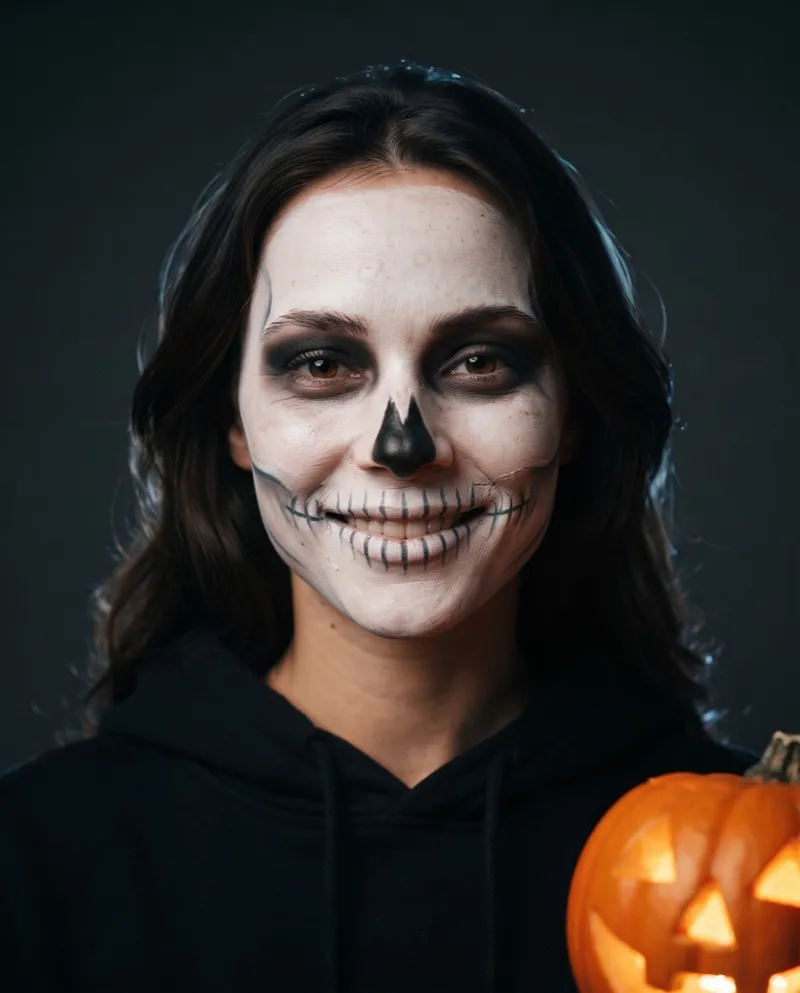
Real-life version: white and black face paint, a fine brush and a black hoodie.
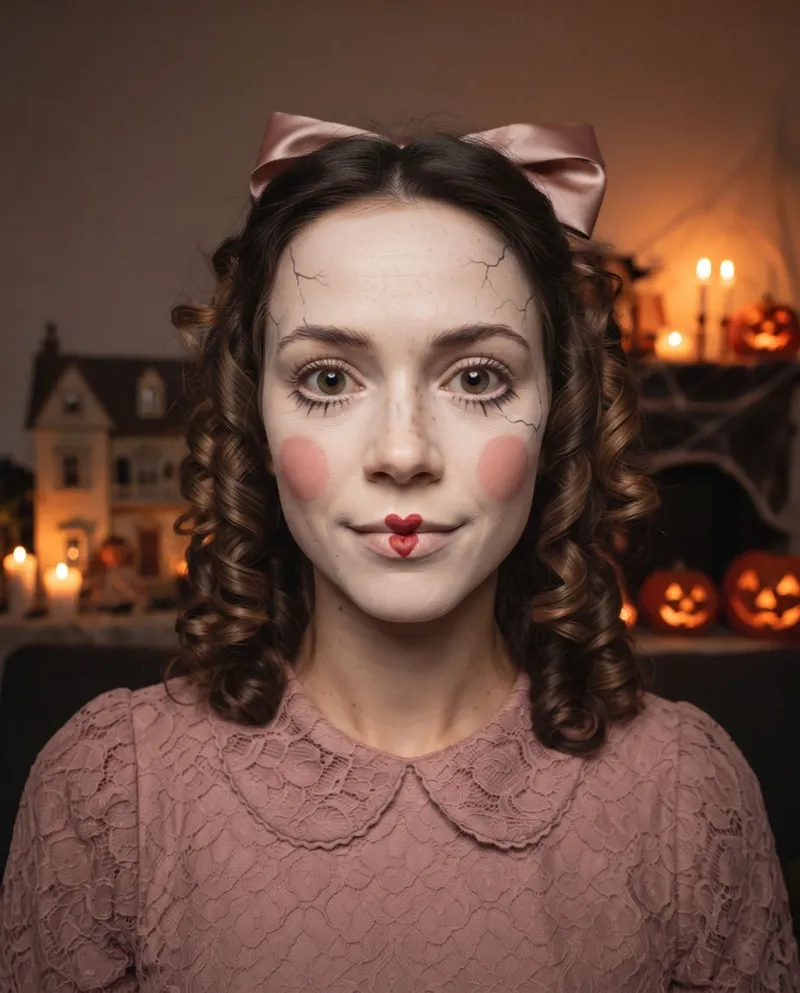
Real-life version: ivory foundation, drawn-on cracks and lashes, rosy cheeks and a big hair bow.
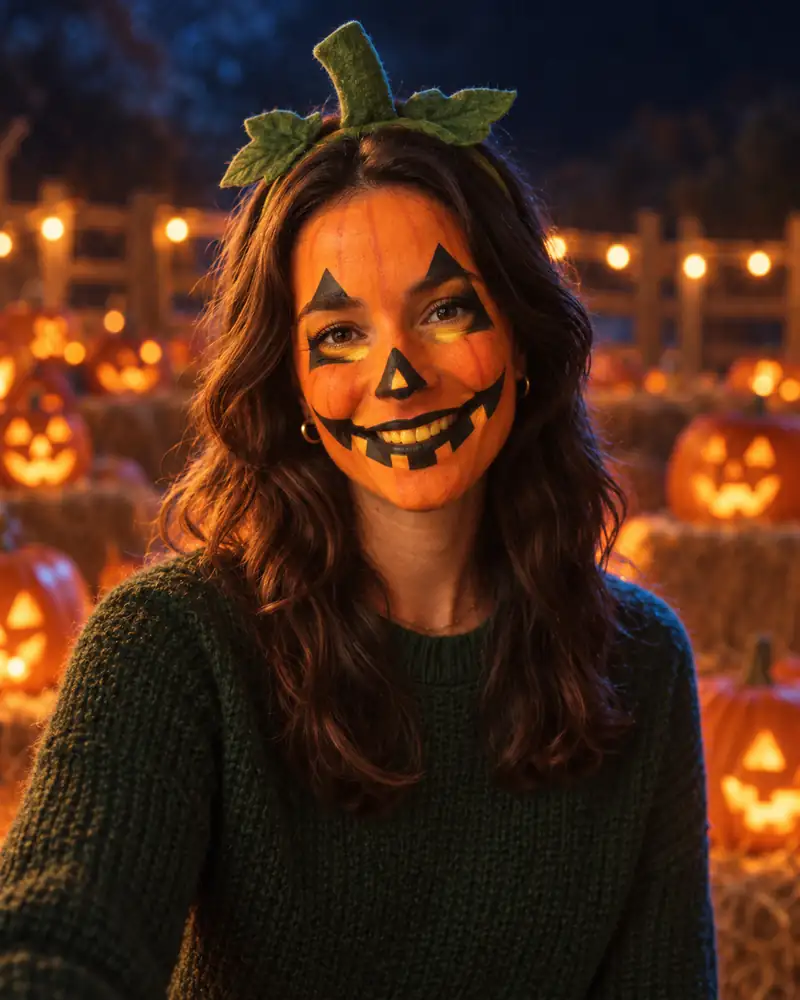
Real-life version: orange face paint, black triangles for eyes and nose and a stem headband.
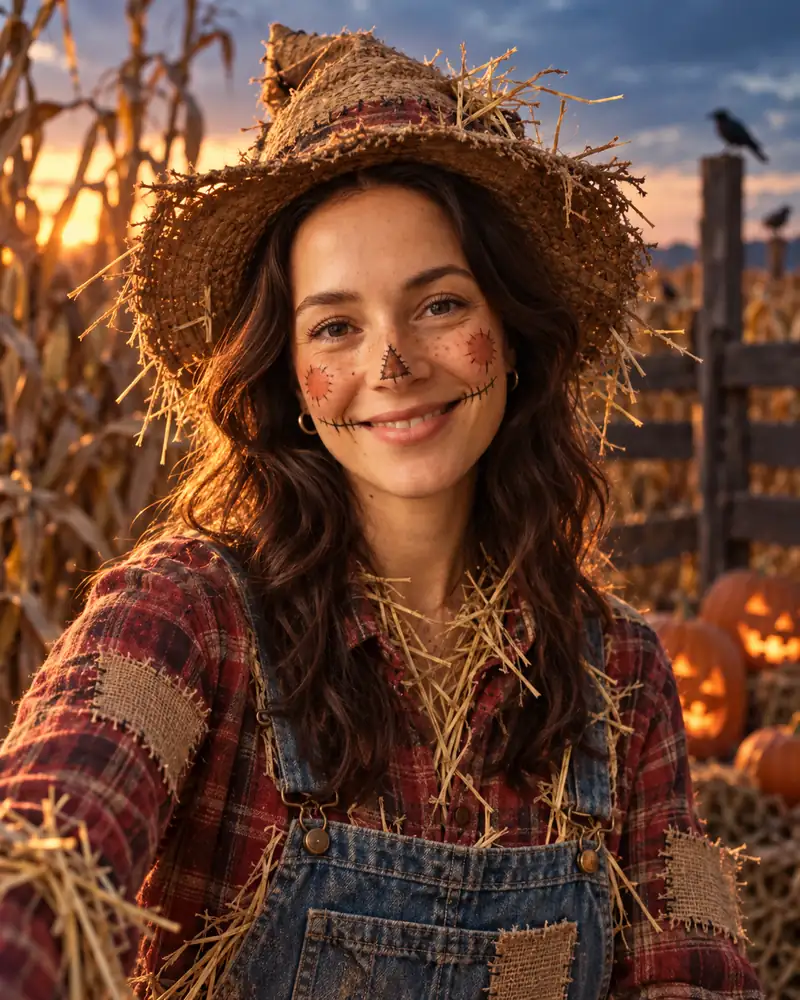
Real-life version: a straw hat, a plaid shirt with felt patches, overalls and drawn-on stitches.
No app to install and no editing. A clear selfie and a minute or two is all it takes.
Face the camera, chest up, in even light, with nothing covering your face. JPG, PNG or WebP up to 10 MB. One person per photo.
Choose from 18 looks in four groups, from Gothic Vampire and Bandaged Mummy to Moonlight Fairy and Jack-o'-Lantern Makeup.
Your portrait is ready in a minute or two and saved to My Creations. Keep the same photo and pick the next look to compare.
Most people know the mood before they know the costume. Find yours below, then try two or three of the looks it points to.
Midnight Werewolf, 80s Zombie and Grim Reaper. Horror-film lighting, fangs, fog and a hard stare.
Moonlight Fairy, Black Cat and Forest Witch. Wings, velvet and candlelight, nothing gory.
Red Devil, Spider Witch and Stone Gorgon. Glitter, lace and gold scales that read well in flash photos.
Skeleton Makeup, Jack-o'-Lantern Makeup and Cracked Porcelain. See the face paint on your face before you pick up a brush.
Bandaged Mummy, Patchwork Scarecrow and Grim Reaper. Old sheets, plaid shirts and a straw hat get you most of the way there.
Make one portrait each and post them side by side: Gothic Vampire with Wedding Ghost, or Ghost Pirate with Banshee.
A costume, a wig and the makeup add up fast, and it is hard to tell from a product photo whether a look suits you.
Put your own face in a few looks first. Upload one selfie, make a portrait, then pick another look and make the next one with the same photo. Compare them in My Creations, show them to friends, and buy or build the one you keep coming back to.
Narrow it down to one look before the shops and the costume rentals run out.
Keep the portrait open as a reference while you paint your face for the party.
Share a Halloween picture of yourself even if you never get into a costume this year.
Your face, skin tone and expression stay; the costume, makeup, lighting and background change.
Looks like Gothic Vampire or Spider Witch follow your gender presentation, so the same look works for anyone.
Animate a portrait into an 8 second Costume Reveal with sound, starting on your selfie.
You pick from 18 original looks. There is no box to describe your own costume.
Group and couple shots are not supported. Make one portrait each and post them together.
The looks are original Halloween costumes, not copies of film or TV characters.
Your first costume portrait is free. After that each portrait costs 1 credit, downloading one without the watermark costs 1 credit, and failed generations are refunded.
Want every image watermark-free? Subscriptions start at $10.50 a month, billed yearly. See subscription plans
It is a tool that puts a Halloween costume on your own photo. Here you upload a selfie, pick one of 18 looks, and the AI paints the costume, makeup and a Halloween scene around your face, so you can see the look before you buy or make it.
Your first portrait is free. After that each portrait costs 1 credit, and you can download a portrait without the watermark for 1 credit. If a generation fails, the credit is refunded automatically.
A clear, front-facing selfie of one person, chest up, in even light, with nothing covering the face. JPG, PNG or WebP files up to 10 MB work.
Yes. Your photo stays uploaded while you pick another look, and each new portrait costs 1 credit. All of them are saved in My Creations, so you can compare them side by side.
Pick a look you can put together from things at home, like Bandaged Mummy (an old sheet torn into strips), Patchwork Scarecrow (a plaid shirt and a straw hat) or Grim Reaper (a black hooded robe). Under every look in the gallery we list what it takes.
Each portrait has one person. For a couple or group costume, make one portrait each in looks that go together, such as Gothic Vampire and Wedding Ghost, and post them side by side.
Start from the mood you want: Midnight Werewolf or Grim Reaper to scare people, Moonlight Fairy or Black Cat for something pretty, Red Devil or Spider Witch for a party. Upload a selfie and see two or three of them on your own face before you decide.
Yes. Six looks, such as Pumpkin Pet, Vampire Pet and Skeleton Pet, are made for cats and dogs. You will find them on our pet Halloween costumes page.
Upload one selfie and pick from 18 looks. Your first portrait is free.
Try a costume